

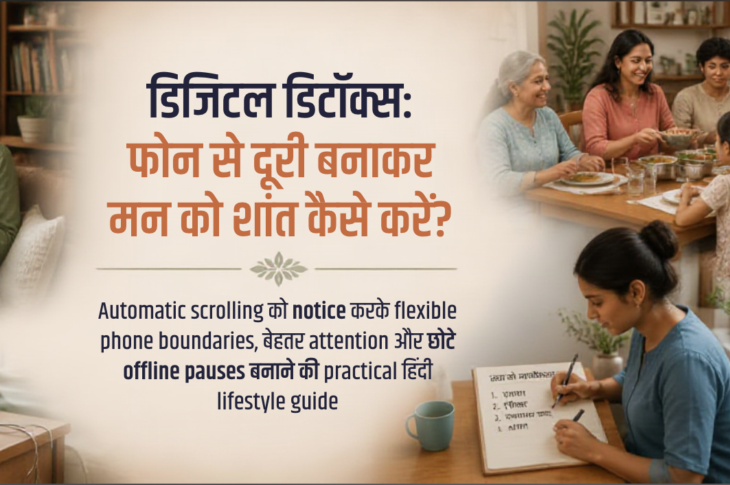
सुबह alarm बंद करते ही एक महिला फोन उठा लेती है। पहले messages, फिर news, उसके बाद reels और notifications—दिन शुरू होने से पहले ही उसका ध्यान कई दिशाओं में बंट जाता है। काम के बीच वह बिना किसी स्पष्ट वजह के screen check करती रहती है। खाने, परिवार के साथ बैठने और आराम के समय भी phone पास रहता है। रात में थकान के बावजूद scrolling रुकती नहीं।वह सोचती है, “Phone से दूरी बनाना practical कैसे होगा?” काम, school updates, payments, maps, caregiving, healthcare और social connection—सब कुछ तो phone से जुड़ा है। यही कारण है कि digital detox का अर्थ phone को हमेशा के लिए छोड़ना नहीं है। इसका मतलब है automatic और draining use को पहचानना और अपनी जरूरतों के अनुसार intentional, flexible boundaries बनाना।Digital detox क्या है और क्या नहीं है?
Digital detox एक gentle experiment है, punishment या productivity challenge नहीं। आप यह observe करती हैं कि phone कब, क्यों और किस तरह आपका ध्यान खींचता है। फिर notifications, app layout, check-in windows और phone-free moments में छोटे बदलाव करती हैं।लक्ष्य perfect low screen time नहीं, बल्कि अधिक choice, focus, rest और presence है। Work calls, emergency contacts, school updates, accessibility tools और caregiving needs के लिए exceptions रखना healthy planning का हिस्सा है। हर व्यक्ति की disability, safety, income, culture, family structure और social needs अलग होती हैं; इसलिए one-size-fits-all rule काम नहीं करता।
|
मुख्य विचार समस्या हमेशा screen time की कुल संख्या नहीं होती। महत्वपूर्ण है कि phone use कब होता है, किस जरूरत को पूरा करता है, उसके बाद आप कैसा महसूस करती हैं और क्या वह नींद, attention, work, relationships, movement, rest या personal boundaries में बाधा डाल रहा है। |
Phone हमें बार–बार क्यों खींचता है?
Notifications, variable rewards, boredom, stress, loneliness, habit loops, अधूरे tasks और social expectations checking को trigger कर सकते हैं। यह अपने–आप में clinical addiction diagnosis नहीं है। Phone कभी emotional escape, connection, information या control का साधन भी बन जाता है।अगली बार हाथ phone की ओर बढ़े तो पूछें: “मुझे अभी rest चाहिए, reassurance, information, connection या कोई task पूरा करना है?” जरूरत स्पष्ट होने पर विकल्प भी स्पष्ट होता है। “बस discipline रखो” कहने के बजाय environment design अधिक मददगार हो सकता है—non-essential alerts बंद करना, distracting apps को home screen से हटाना, Focus mode लगाना या charging spot बदलना।क्या आपका phone use आपको थका रहा है?
इन संकेतों को judgment नहीं, information की तरह देखें:
- Automatic checking — बिना स्पष्ट कारण बार–बार screen unlock करना।
- टूटा हुआ ध्यान — काम, बातचीत, भोजन या movement के बीच अचानक phone देखना।
- रात की scrolling — सोने का routine बिगड़ना या थकान के बावजूद feed जारी रखना।
- भारी after-effect — news, social media या messages के बाद mood anxious, scattered, comparative या low महसूस होना।
- अनियोजित session — “बस पांच मिनट” का use लंबे session में बदल जाना या कई apps खोलकर मूल उद्देश्य भूल जाना।
- लगातार टलती जरूरतें — phone expectation के कारण sleep, work, family, food, movement या rest को बार–बार टालना।
Phone दूर होने पर बेचैनी महसूस होना भी एक संकेत हो सकता है, लेकिन इसे diagnosis न मानें। Context और आपकी functioning अधिक महत्वपूर्ण हैं।Screen time और screen impact में अंतर
हर screen minute समान नहीं होता। Online class, work, navigation, medical appointment, creative work और social support का उपयोग endless scrolling से अलग हो सकता है। कुल hours की जगह purpose, timing, emotional after-effect और opportunity cost देखें।पूछें: “क्या यह use मुझे किसी महत्वपूर्ण काम, नींद, connection, food, movement या recovery से दूर कर रहा है? क्या मैं choice से use कर रही हूं या habit से?” Screen-time tracking को judgment नहीं, information tool मानें। एक–दो दिन का snapshot पर्याप्त है; लगातार monitoring को नया stress न बनने दें।Gentle phone-use audit कैसे करें
पिछले दिन के apps को तीन columns में लिखें—“जरूरी”, “उपयोगी” और “automatic/draining।” उन्हें work, family, health, finance, education, connection, entertainment और scrolling में categorize करें। फिर तीन moments लिखें जब phone ने ध्यान खींचा: trigger क्या था, आपने क्या किया और बाद में कैसा महसूस हुआ।
|
देखें |
अपने आप से पूछें |
|
Trigger |
ऊब, stress, notification या अधूरा काम? |
|
Purpose |
मुझे information, connection, rest या task completion चाहिए था? |
|
After-effect |
मैं focused, connected, calm या drained महसूस कर रही हूं? |
|
अगला छोटा बदलाव |
एक alert बंद करना, check-in window या charging location बदलना? |
एक साथ सब बदलना जरूरी नहीं। Sensitive work, health या family data को unsafe notes में न लिखें।
Notifications, home screen और app design को सरल बनाना
Non-essential push notifications, badges और vibration बंद या सीमित करें। Emergency, accessibility, work, caregiving और critical health alerts के लिए exceptions रखें। Home screen पर केवल essential tools रखें और social apps को folder या second screen में रखें।Email, messages और social media के लिए realistic check-in windows तय करें, लेकिन urgent contacts के लिए clear route रखें। Do Not Disturb, Focus mode, app limits और scheduled downtime flexible settings हैं, moral test नहीं।Phone को bedroom के बाहर रखना सबके लिए संभव नहीं। आप screen को down रख सकती हैं, charging station थोड़ा दूर कर सकती हैं, reach कम कर सकती हैं या alarm का दूसरा विकल्प चुन सकती हैं। Safety और healthcare access हमेशा प्राथमिकता रखें।सुबह और रात की phone boundaries
सुबह alarm के बाद social feed खोलने से पहले एक छोटा offline anchor चुनें—पानी पीना, window light लेना, हल्का stretch, breathing, breakfast preparation या दिन की written priority। यह लंबा routine नहीं, केवल पहला intentional choice है।रात में sleep से पहले wind-down window रखें। “रात 8 बजे के बाद phone नहीं” जैसा rigid rule जरूरी नहीं। अधिक realistic boundary हो सकती है—“सोने से 30 मिनट पहले social scrolling नहीं” या “bed में phone केवल essential calls के लिए।” Boundary टूट जाए तो उसे failure न मानें; अगले moment से reset करें।Work, family, caregiving और accessibility के साथ realistic detox
Working women status message, focus block, email batches, emergency channel और response expectations तय कर सकती हैं। Parents और caregivers school, medicine, appointment और emergency alerts को priority list में रखें और rest block के लिए backup contact तय करें।Shift workers clock-based rule की जगह sleep/wake anchors और recovery windows बना सकते हैं। Disabled users और assistive-technology users के लिए phone essential हो सकता है; accessibility tools हटाने या screen-time guilt देने के बजाय non-essential use को target करें।Financial, transport, language, safety और family circumstances के अनुसार plan बदलें। Family के साथ shared agreement बनाएं—बच्चों या partner को shame या control करने के बजाय age-appropriate, mutual boundaries पर बात करें।
|
याद रखें आपका detox उतना ही अच्छा है जितना वह आपकी वास्तविक जिंदगी में टिक सके। Essential calls, care, work और safety को बचाकर बाकी distractions में छोटे बदलाव करना पूरी तरह वैध है। |
Social media, news और comparison के लिए सीमाएं
Unfollow, mute, keyword filters और limited check-in windows का उपयोग करें। किसी account को mute करना hostility नहीं, attention care हो सकता है। News के लिए reliable sources और तय समय चुनें; लगातार updates uncertainty कम करने के बजाय stress बढ़ा सकते हैं।Comparison trigger होने पर पूछें: “मुझे information, inspiration, connection या reassurance में से क्या चाहिए?” फिर उसी need का intentional alternative चुनें। Public posting, DMs और group chats में privacy, consent और personal boundaries बनाए रखें।Upsetting content या doomscrolling के बाद पानी, grounding, हल्का movement, trusted person या quiet activity चुनें। अगर distress लगातार बना रहे या रोजमर्रा की functioning प्रभावित हो, professional support लें।Phone-free moments को connection और rest से replace करें
Phone हटाने से खाली जगह बनती है; उसे केवल productivity से भरना जरूरी नहीं। Tea, walk, stretching, reading, prayer, journaling, music, cooking, hobby, balcony time, breathing break, face-to-face conversation या quiet rest चुनें। Low-energy days के लिए पांच मिनट वाले विकल्प रखें।Connection का अर्थ हमेशा बातचीत नहीं होता। Shared meal, साथ चलना, caregiving support, शांत बैठना और किसी प्रिय व्यक्ति के पास होना भी connection है।
Common mistakes और बेहतर alternatives
- गलती: एक दिन में सभी apps delete करना। बेहतर: एक trigger और एक boundary से शुरुआत।
- गलती: total screen time को moral score बनाना। बेहतर: purpose, timing और after-effect देखना।
- गलती: urgent work, care या safety needs ignore करना। बेहतर: priority alerts बनाए रखना।
- गलती: हर notification का तुरंत जवाब देना। बेहतर: urgency categories और check-in windows बनाना।
- गलती: खाली समय को productivity से भरना। बेहतर: rest और pleasure को भी वैध मानना।
- गलती: परिवार को shame या monitor करना। बेहतर: shared और mutual agreements।
Troubleshooting: जब boundary टिके नहीं
अगर आप बार–बार boundary तोड़ रही हैं, उसे और कठोर बनाने से पहले जांचें—क्या timing गलत है, क्या urgent alerts बहुत हैं, क्या phone किसी unmet need का सहारा है, या क्या boundary आपकी shift, disability या caregiving reality से मेल नहीं खाती? Rule को छोटा करें: पूरे evening की जगह 10 मिनट, पूरे app की जगह एक feature, या complete silence की जगह filtered alerts।
Do और Don’t
- Don’t: हर screen use को harmful मानें। Do: context और impact देखें।
- Don’t: phone को willpower failure बनाएं। Do: environment और notifications redesign करें।
- Don’t: guaranteed cure या “dopamine detox” जैसे oversimplified claims मानें। Do: gentle experiment और realistic expectations रखें।
- Don’t: missed boundary पर shame करें। Do: अगले छोटे moment से restart करें।
7-day digital detox reset
- इसे perfect low-screen challenge नहीं, flexible attention experiment समझें। हर दिन का अभ्यास छोटा है; जरूरत के अनुसार दिन दोहराए जा सकते हैं।Day 1: एक दिन का phone-use snapshot लें और तीन automatic checking triggers लिखें।
- Day 2: कुछ non-essential notifications, badges और vibrations बंद करें।
- Day 3: सुबह social feed खोलने से पहले एक छोटा offline anchor रखें।
- Day 4: एक phone-free meal, walk या 15-minute conversation तय करें।
- Day 5: bedtime social scrolling के लिए realistic boundary बनाएं और essential contacts allowed रखें।
- Day 6: एक comparison, news या doomscrolling trigger को mute, unfollow, filter या time-window करें।
- Day 7: review करें—किस boundary से attention, rest या mood में मदद मिली? अगले सप्ताह केवल दो sustainable habits रखें।
आज से शुरू करने के 5 छोटे कदम
- Purpose पूछें: आज तीन बार unlock करने से पहले खुद से पूछें कि phone क्यों उठा रही हैं।
- एक alert बंद करें: केवल एक non-essential notification चुनें।
- छोटा pause बनाएं: 10–15 मिनट का phone-free moment तय करें।
- रात में दूरी बढ़ाएं: phone थोड़ा दूर रखें, लेकिन essential safety और caregiving access बनाए रखें।
- विकल्प तैयार रखें: scrolling की जगह एक low-effort offline activity चुनें।
|
अगर plan टूट जाए किसी दिन phone use बढ़ जाना आपकी सारी कोशिश को cancel नहीं करता। कारण note करें, boundary को छोटा करें और अगले छोटे moment से फिर शुरू करें। |
Mini checklist
- मैं phone कब automatic तरीके से check करती हूं?
- कौन–से apps मुझे information देते हैं और कौन–से मुझे drained छोड़ते हैं?
- क्या morning या bedtime phone use मेरी नींद और attention को प्रभावित कर रहा है?
- क्या essential work, family, healthcare और safety notifications सुरक्षित हैं?
- क्या मैंने एक realistic, specific और mutual boundary चुनी है?
- क्या मैंने phone-free moment को किसी आरामदायक activity से replace किया है?
- क्या मैं total screen time की बजाय purpose, timing और after-effect देख रही हूं?
- क्या social media या news comparison, anxiety या distress बढ़ा रहे हैं?
- क्या accessibility, disability, caregiving या shift-work needs plan में शामिल हैं?
- क्या boundary टूटने पर मैं बिना shame के restart कर सकती हूं?
- क्या persistent distress या functioning difficulty के लिए professional support की जरूरत है?
