

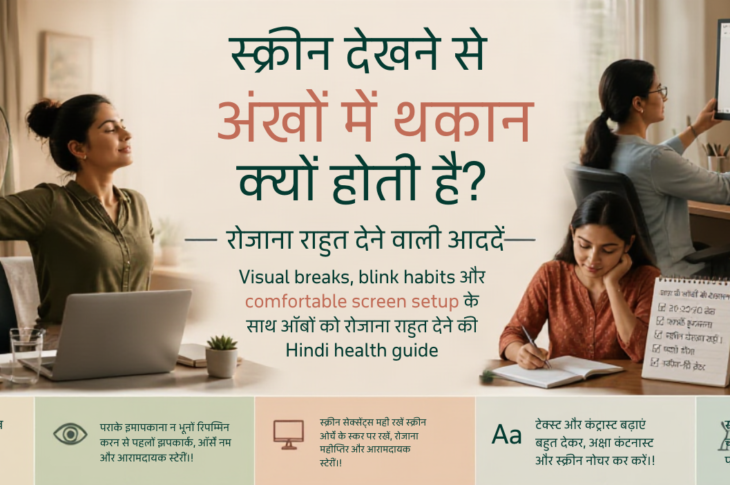
सुबह एक महिला phone पर messages देखती है, दिन में laptop पर काम करती है, बीच–बीच में video calls और documents संभालती है। शाम को घर के कामों के बीच phone फिर हाथ में आता है और रात streaming या scrolling में निकल जाती है।
दिन के अंत तक आंखों में भारीपन, dryness, जलन, पानी आना, धुंधला दिखना, सिरदर्द या पास से दूर focus बदलने में कठिनाई महसूस हो सकती है। तब मन में सवाल आता है—क्या screen छोड़ना ही एकमात्र उपाय है?
|
मुख्य बात: Digital eye strain में screen habits योगदान दे सकती हैं, लेकिन हर symptom का कारण screen नहीं होता। छोटे बदलाव, सही setup, नियमित breaks और जरूरत पड़ने पर eye-care assessment साथ–साथ महत्वपूर्ण हैं। |
स्क्रीन देखने से आंखों में थकान क्यों होती है?
Screen पर ध्यान लगाते समय blink कम या अधूरे हो सकते हैं। इससे आंखों की tear film जल्दी सूख सकती है और dryness, जलन या gritty sensation महसूस हो सकती है। लगातार पास की चीजों पर focus करने से आंखों को दूरी बदलने और आराम पाने के मौके कम मिलते हैं।
Glare, window reflection, बहुत छोटी writing, poor contrast, बहुत तेज या बहुत कम brightness भी discomfort बढ़ा सकते हैं। गलत screen distance, ऊंचाई या posture का असर आंखों के साथ गर्दन, कंधे और सिर पर भी पड़ सकता है।
- आसपास का माहौल: dry air, fan या AC की सीधी हवा, धुआं और dust symptoms बढ़ा सकते हैं।
- शरीर की स्थिति: dehydration, कम नींद, stress, fatigue और बिना movement के लंबे समय तक बैठना भूमिका निभा सकते हैं।
- दृष्टि से जुड़ी बातें: uncorrected vision, पुरानी prescription और contact lenses से discomfort बढ़ सकता है।
- अन्य कारण: allergy, migraine, sinus problems, dry-eye disease, medication effects या दूसरी health conditions भी समान symptoms दे सकती हैं।
Digital eye strain के आम लक्षण
Digital eye strain या computer vision syndrome कोई self-diagnosis नहीं है। इसमें आंखों में थकान, burning, stinging, dryness, भारीपन या बार–बार आंखें मलने की इच्छा हो सकती है।
पानी आना, आंखों का लाल लगना, temporary blur, light sensitivity और पास से दूर focus बदलने में कठिनाई भी दिख सकती है। कुछ लोगों को माथे या आंखों के आसपास pressure, headache, neck, shoulder या upper-back discomfort महसूस होता है।
- किस activity के बाद symptom बढ़ता है—phone scrolling, spreadsheet, reading, video call, gaming या night use—इसे note करें।
- Symptom कितनी देर रहता है और screen बंद करने के बाद भी बना रहता है या नहीं, यह pattern समझने में मदद करता है।
- अचानक vision loss, severe eye pain, new flashes या floaters, curtain-like shadow, significant swelling, injury या chemical exposure में urgent medical care लें।
क्या हर सिरदर्द या धुंधलापन screen की वजह से होता है?
नहीं। Screen एक trigger या contributing factor हो सकती है, पर migraine, refractive error, allergy, dry-eye disease, sinus problem, दवाओं का असर और दूसरी health conditions भी ऐसे symptoms दे सकती हैं। इसलिए duration, triggers और screen के बाहर symptoms बने रहने पर ध्यान दें।
रोजाना राहत देने वाली 20-20-20 और blink habits
इसे एक practical reminder समझें, universal cure या guaranteed formula नहीं। लगभग 20 मिनट बाद करीब 20 फीट दूर वस्तु को लगभग 20 सेकंड देखने की कोशिश करें। यह schedule संभव न हो तो अपनी routine में regular distance breaks रखें।
- Notice: किस काम, समय या environment के बाद discomfort बढ़ता है, लिखें।
- Reset distance: दूर देखकर आंखों को refocus करने दें और कुछ धीमे, पूरे blinks लें।
- Reposition: screen को comfortable distance पर रखें; top edge आंखों के level से थोड़ा नीचे या आरामदायक height पर रखें।
- Enlarge: text, cursor, zoom और contrast बढ़ाएं। tiny text पढ़ने के लिए आंखें न सिकोड़ें।
- Move: shoulders, neck, hands और पूरे शरीर को छोटे movement breaks दें।
- Recover: sleep, hydration, room humidity और task rotation पर ध्यान दें।
Screen की दूरी, ऊंचाई, text size और brightness कैसे सेट करें?
Screen साफ रखें और ऐसा comfortable viewing distance चुनें जिसमें text पढ़ने के लिए आगे झुकना या आंखें सिकोड़ना न पड़े। Laptop में external keyboard, mouse या stand मददगार हो सकते हैं, लेकिन हर व्यक्ति का ideal setup अलग हो सकता है।
Font size, zoom और contrast बढ़ाएं। Brightness को कमरे की रोशनी से बहुत अलग न रखें। Multiple screens में frequently used content ऐसी जगह रखें कि बार–बार extreme head या eye movement न करना पड़े।
Glare, lighting और room comfort का महत्व
Window reflection, overhead light और glossy surfaces check करें। Screen को reflection की सीधी दिशा से हटाएं या lighting बदलें। Fan या AC की हवा सीधे आंखों पर न लगे; room बहुत dry हो तो humidity और ventilation पर ध्यान दें।
काम, पढ़ाई, caregiving और घर के लिए practical screen breaks
Break को हमेशा productivity task न बनाएं। कुछ देर आंखें बंद करना, खिड़की से बाहर देखना, पानी पीना या gentle movement भी break है। Long document या spreadsheet में print, audio, larger monitor, screen reader या text-to-speech जहां उपयुक्त हो, आजमाएं।
Children, caregivers और shift workers के लिए fixed clock routine के बजाय task-based anchors रखें—जैसे एक call खत्म होने के बाद दूर देखना। Driving, walking, cooking या किसी unsafe स्थिति में screen देखते हुए break न लें।
Caption, dictation, magnification, high-contrast settings, audio और flexible scheduling visual impairment, dyslexia, ADHD, autism, migraine sensitivity, limited mobility या chronic pain वाले लोगों के लिए उपयोगी हो सकते हैं।
Contact lenses, glasses और अलग access needs के लिए adaptations
Contact lenses पहनने वालों में dryness या discomfort बढ़ सकता है। Lens instructions follow करें, lens पहनकर सोने या पानी के संपर्क से बचने संबंधी professional guidance मानें और discomfort में lenses निकालकर advice लें। पुरानी prescription, squinting, frequent headaches या focus difficulty में eye exam मददगार हो सकता है।
Dry-eye disease, allergies, diabetes, thyroid disease, autoimmune conditions, migraine, pregnancy, menopause, medication changes या recent eye procedure में symptoms को केवल screen fatigue न मानें। बच्चों और older adults को अलग font size, lighting, seating, breaks और supervision की जरूरत हो सकती है।
Blue-light filters और eye drops पर balanced guidance
Blue-light filters, night mode, screen protectors या special glasses कुछ लोगों को comfort या sleep routine में मददगार लग सकते हैं, लेकिन ये breaks, appropriate prescription, lighting और professional evaluation का substitute नहीं हैं। हर व्यक्ति को blue-light glasses की जरूरत नहीं होती।
Dryness में lubricating drops के बारे में pharmacist या eye-care professional से पूछें; preservative-free विकल्प कुछ लोगों के लिए उपयुक्त हो सकते हैं। Redness-relief या whitening drops का repeated use बिना guidance के न करें और किसी prescription medicine को खुद से शुरू या बदलें नहीं।
Common mistakes और बेहतर alternatives
- घंटों लगातार काम: दिन के अंत में एक लंबा break लेने के बजाय छोटे regular breaks और task rotation रखें।
- Phone बहुत पास: tiny text की जगह zoom, larger text और comfortable distance चुनें।
- Maximum brightness: room light के अनुसार brightness और glare adjust करें।
- आंखें मलना: clean hands, pause, blink और suitable professional advice चुनें।
- हर redness पर drops: repeated whitening drops की जगह pharmacist या eye-care professional से पूछें।
- Break में दूसरा screen: कुछ breaks genuinely screen-free रखें।
- Contact-lens discomfort ignore करना: lenses remove करें और professional guidance लें।
Do/Don’t guidance
|
Don’t |
Do |
|
हर eye symptom को screen का कारण मानें। |
Pattern, duration और other causes देखें। |
|
Tiny text और glare के साथ काम जारी रखें। |
Zoom, font, contrast और lighting बदलें। |
|
Break केवल दिन के अंत में लें। |
छोटे visual breaks routine में जोड़ें। |
|
Random drops या blue-light products को cure समझें। |
Pharmacist या eye-care professional से guidance लें। |
|
Accessibility needs को discipline problem मानें। |
Captions, audio, magnification और flexible breaks अपनाएं। |
Troubleshooting: habits के बाद भी आंखों में थकान रहे तो क्या करें?
20-20-20 याद न रहे तो calendar reminder, desktop prompt, smartwatch alert या task transition को visual-break anchor बनाएं। Flow टूटता हो तो natural stopping points चुनें, लेकिन लंबे uninterrupted sessions से बचें।
आंखें सूखती हों तो blink breaks, dry air, contact-lens use और drops की जरूरत की review करें। Brightness से headache हो तो glare, contrast, font, room lighting, distance और migraine triggers देखें।
Blurred vision screen के बाद भी रहे तो symptom diary रखें और optometrist या ophthalmologist से assessment लें। Caregiving या shift work में task-based anchors, shared handover और flexible recovery periods बनाएं।
Workplace breaks allow न करे तो manager, HR, union या accessibility support के सामने health-focused practical request रखें और local workplace rules देखें। Pain, redness या vision changes बढ़ें तो self-care पर निर्भर न रहें।
7-day screen-comfort reset
इसे cure या strict challenge नहीं, flexible observation experiment मानें। कोई दिन छूट जाए तो अगले available day से जारी करें।
- Day 1: Screen activities, duration, symptoms, contact-lens use, lighting और sleep pattern note करें।
- Day 2: Text size, zoom, contrast, brightness और glare की समीक्षा करें।
- Day 3: हर major screen task में distance-break anchor जोड़ें और कुछ पूरे blinks consciously लें।
- Day 4: Workstation या phone position, posture, screen height और room comfort बदलें।
- Day 5: एक screen-free break चुनें—दूर देखना, window view, gentle movement, audio या quiet rest।
- Day 6: एक accessibility adjustment आजमाएं—larger text, captions, screen reader, magnification, dictation या flexible task rotation।
- Day 7: Symptoms का pattern और remaining concerns review करें; persistent या worsening symptoms में appointment plan करें।
आज से शुरू करने के 5 छोटे कदम
- Phone या laptop का text size और zoom अभी comfortable level पर सेट करें।
- अगली screen activity के लिए visual-distance break reminder लगाएं।
- एक screen-free pause लें और कुछ धीमे, पूरे blinks करें।
- Glare, fan या AC air, brightness और screen position में एक practical adjustment करें।
- Blurred vision, pain, recurrent redness या persistent symptoms हों तो eye-care appointment का अगला कदम तय करें।
Mini checklist
- क्या मैं लंबे समय तक बिना break के पास की screen देख रही/रहा हूं?
- क्या text size, zoom और contrast आरामदायक हैं?
- क्या screen पर reflection या glare है?
- क्या मैं पूरे blinks और distance breaks लेती/लेता हूं?
- क्या screen बहुत पास, ऊपर या नीचे तो नहीं?
- क्या fan/AC, dry air, dust, smoke, sleep loss या dehydration symptoms बढ़ा रहे हैं?
- क्या contact lenses या पुरानी prescription भूमिका निभा सकते हैं?
- क्या breaks genuinely screen-free हैं?
- क्या accessibility settings या assistive technology मदद कर सकती है?
- क्या symptoms screen बंद करने के बाद भी बने रहते हैं?
- क्या कोई red flag है जिसके लिए urgent care चाहिए?
कब optometrist, ophthalmologist या healthcare professional से मिलें?
Persistent, recurrent या worsening eye pain, significant redness, swelling, discharge, light sensitivity, blurred या double vision, new flashes या floaters, curtain-like shadow, sudden vision change, injury, chemical exposure, recurrent styes, contact-lens-related pain या screen बंद करने के बाद भी बने रहने वाले symptoms में eye-care assessment जरूरी हो सकता है।
Severe headache with vomiting, one-sided neurological symptoms, breathing difficulty, severe allergic swelling, chemical injury, sudden vision loss या किसी neurological emergency में local emergency services से तुरंत संपर्क करें।
Diabetes, thyroid disease, autoimmune conditions, migraine, pregnancy, menopause, chronic dry eye, recent eye surgery, medication changes या known eye disease में personalised guidance लें। Lubricating drops, prescription medicines, blue-light glasses या कोई eye treatment बिना appropriate professional guidance के शुरू या बदलें नहीं।
यह लेख diagnosis या personalised medical advice का substitute नहीं है।
